Updating Banking Information
How can I update my banking information?
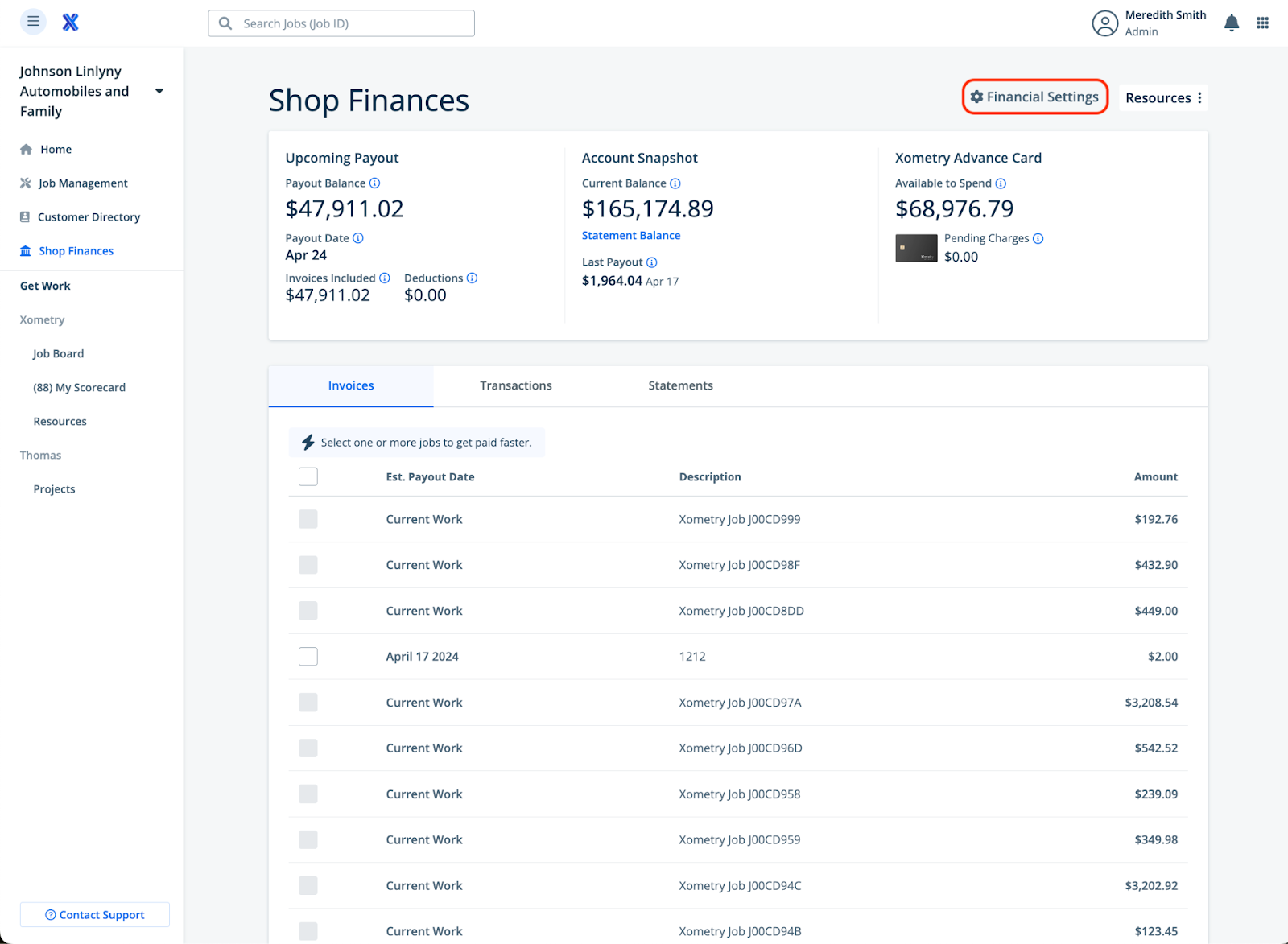
To update banking information click Shop Finances from your Navigation panel in Xometry Workcenter. Then Click Financial Settings.
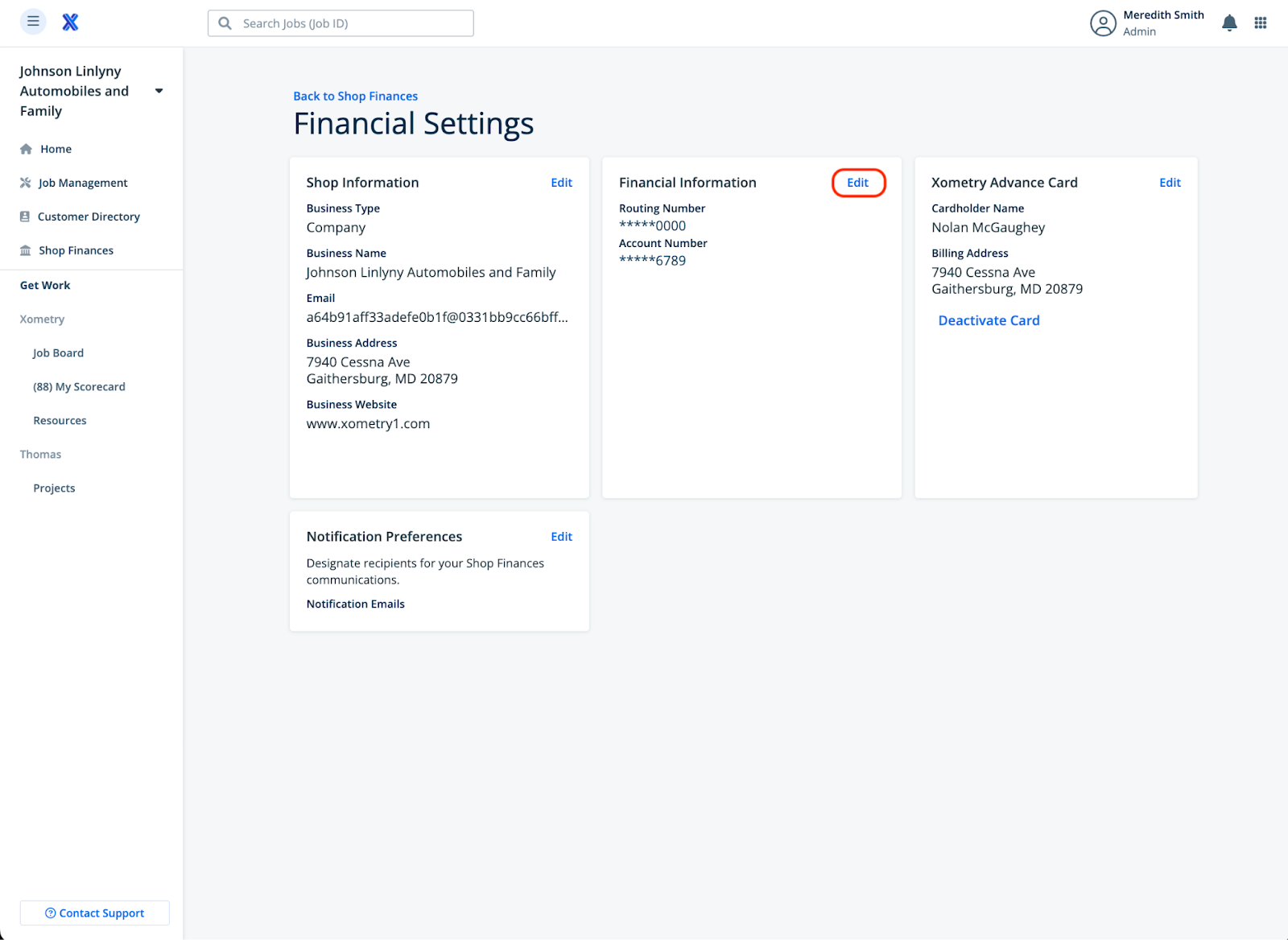
Under Financial Information click Edit. You can now change your routing and account numbers.
Note: If you encounter any errors or issues, please reach out via the partner-accounting channel or submit an Accounts Payable ticket following the SOP shared earlier.